Your books,
unlocked.
Upload a scanned chapter, or the whole book in one pass. You get it back on your iPhone or iPad as a living chapter: theory, worked examples and every question with the book’s own answer and solution — ready to search, select, and print as a question sheet or a full question paper in one tap.
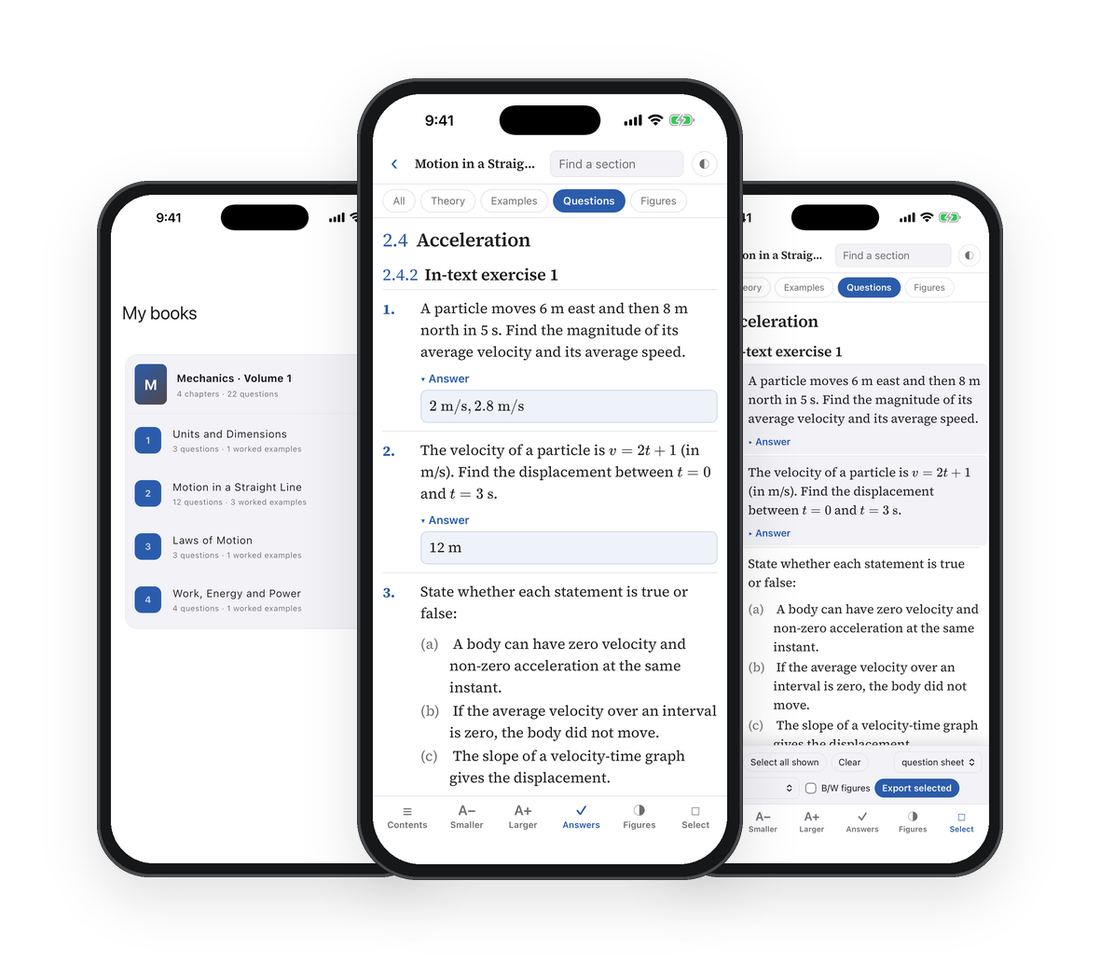
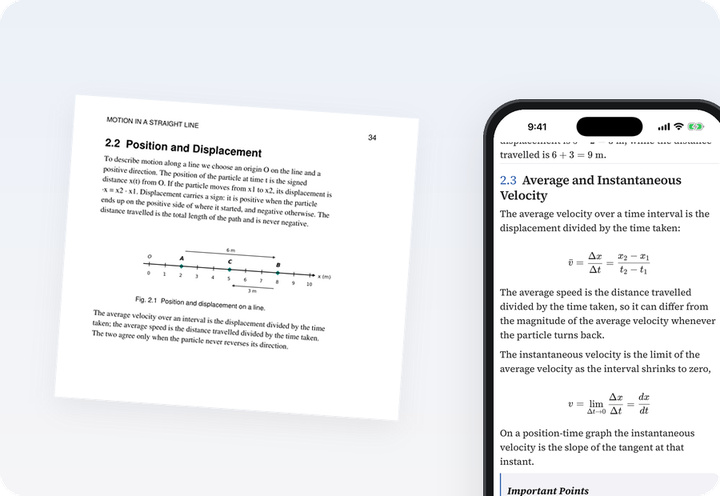
One chapter, before and after
The printed PDF beside the same chapter in ChapterKit. Everything works — open a solution, show only the questions, reveal the answers. Tap a page of the PDF and the chapter follows.
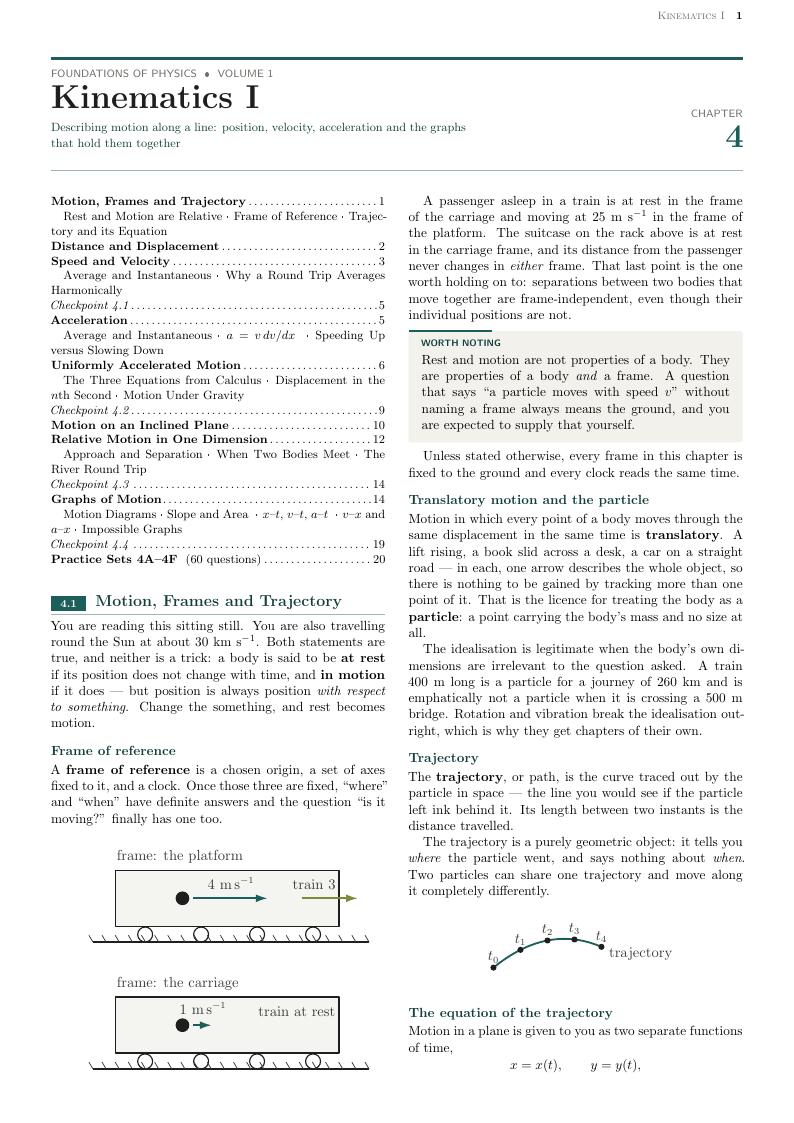 Kinematics I — tap to open the sample chapter
Scroll inside either side to read — or swipe beside it to keep going.
What a scan or a PDF can’t do for you
A scanned book is just pictures of pages. ChapterKit turns it into a book that knows where every chapter, question, answer and solution is.
The whole book, in one pass
Send the complete textbook as a single PDF. We find where every chapter begins, split it for you, and each chapter lands on your shelf in the app — titled, in order, ready to teach from.
Every exercise, connected to its answer and its solution
Answers are taken from the book’s own key and placed under the exact question they belong to — even when the key sits at the back of the book. Where the book gives a worked solution, it is linked to that question too, one tap away.
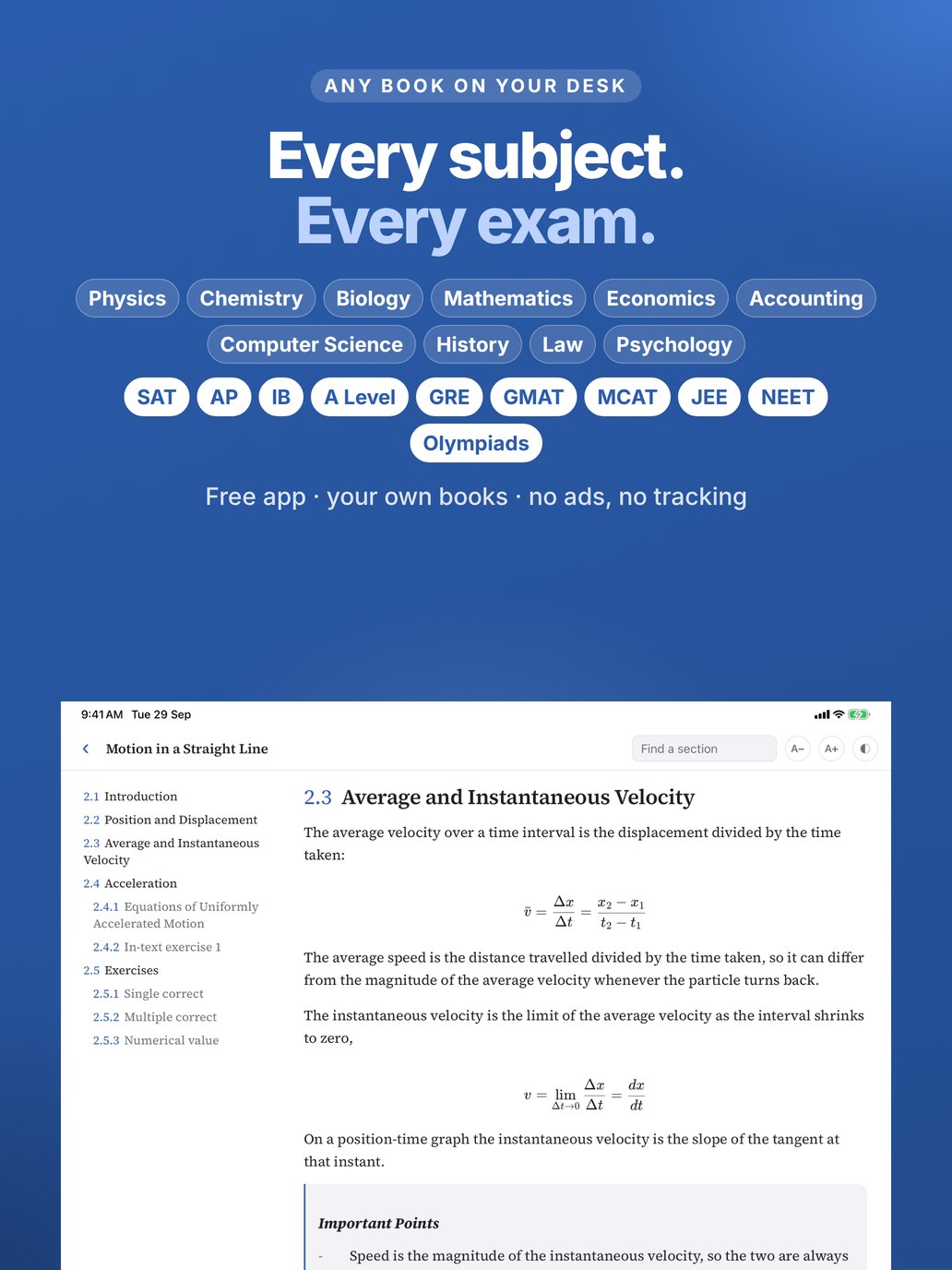
One app for every subject you teach
School, university or exam prep — if it is printed on a page, ChapterKit turns it into a chapter you can teach from: equations typeset, figures sharp.
Any exam, anywhere in the world
Preparation books for entrance, admission and professional exams on every continent — and the school curricula behind them.
National and international curricula alike — IB, Cambridge, AP and school systems everywhere. Teaching from a book in another language or script? Send us a sample chapter and we will show you the result.
Everything a teacher needs from a chapter
Built for the way you actually use a textbook: finding the right questions fast, and handing them to a class.
Read it the way you teach it
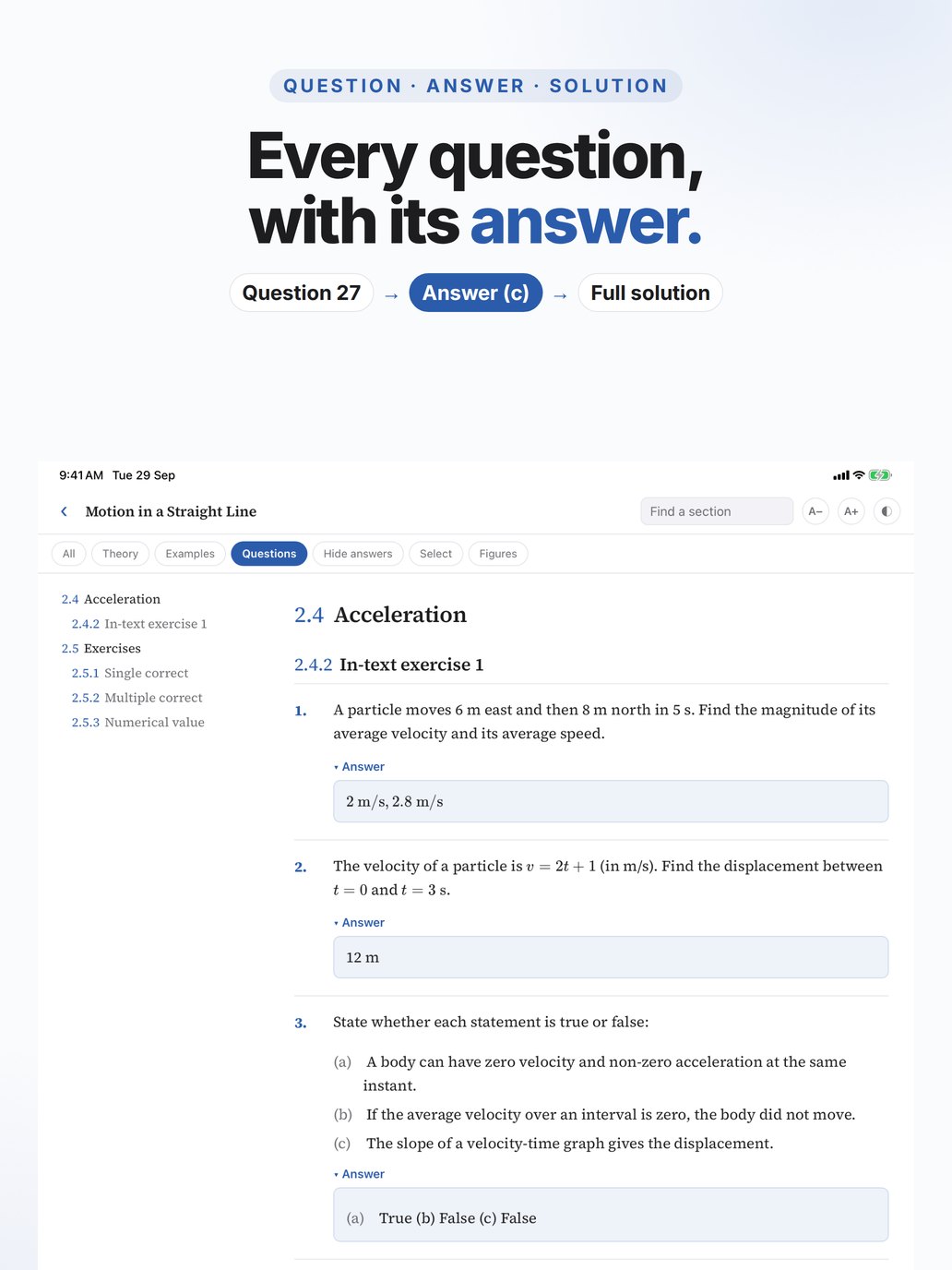
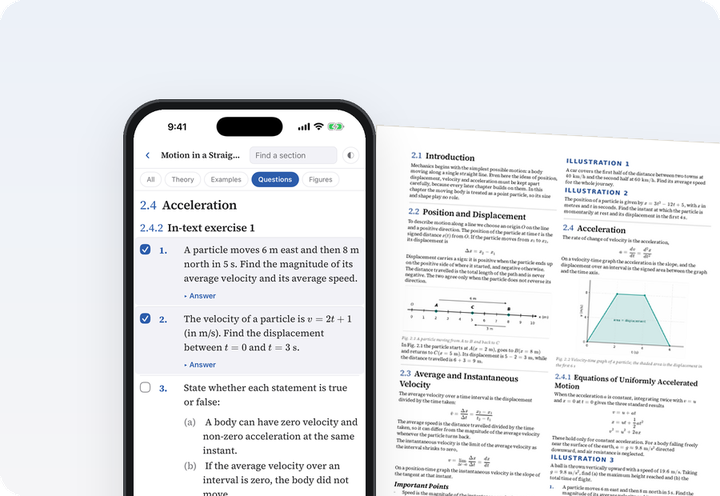
Theory, worked examples and exercises, each one tap away. Answers stay hidden until you want them.
- Filters for Theory, Examples and Questions
- Every question paired with the answer printed in the book
- Worked solutions fold away; show all answers at once
- Formulas properly typeset, not photographed
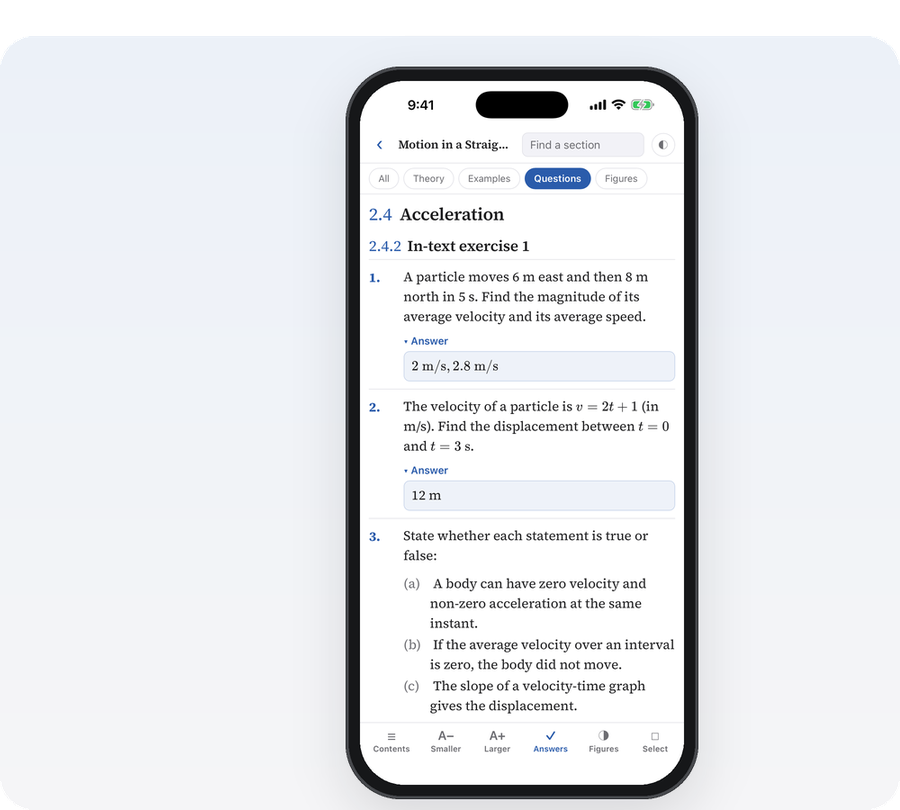
Find any section in a second
A chapter can run to a hundred pages. Jump straight to what you need.
- Contents list of every section and subsection
- Type a few letters to find a section by its title
- Larger or smaller text to fit more on the screen
- Bars slide away while you read, so the page gets the whole screen
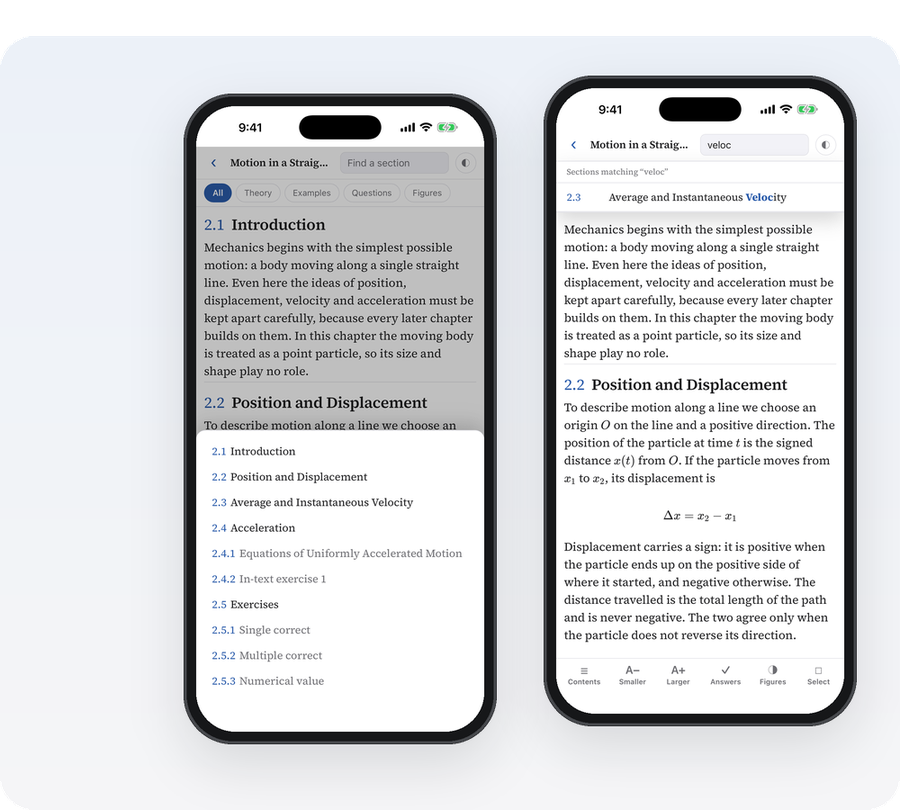
Pick exactly what you need — and print it
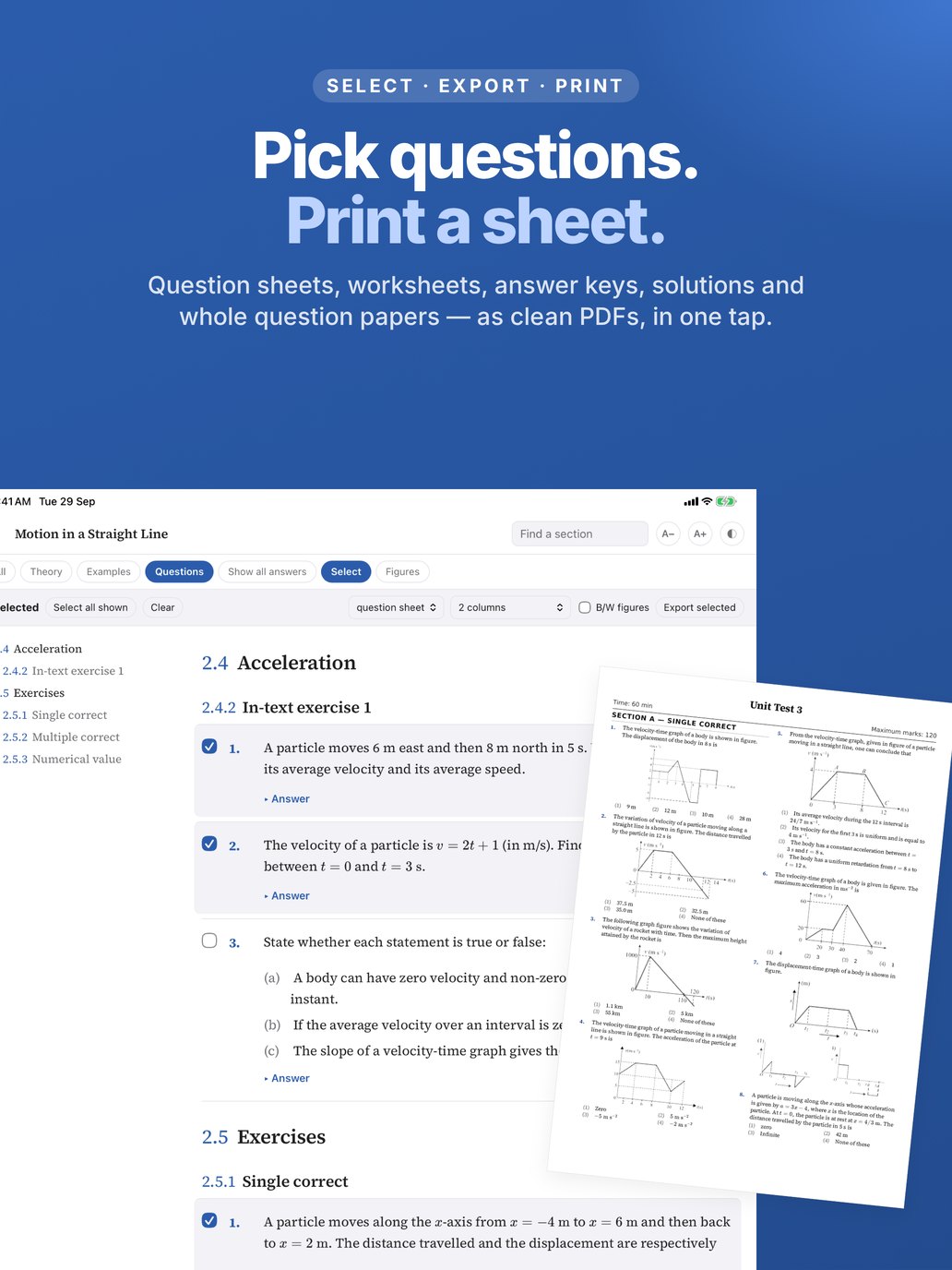
Tick theory paragraphs and questions together, in any mix, and export a PDF ready for class.
- Question sheet, worksheet with writing space, answer key, or full solutions
- One or two columns, normal or compact — fit more on every page
- Theory keeps its headings; questions print clean
- Every page filled edge to edge — no half-empty columns
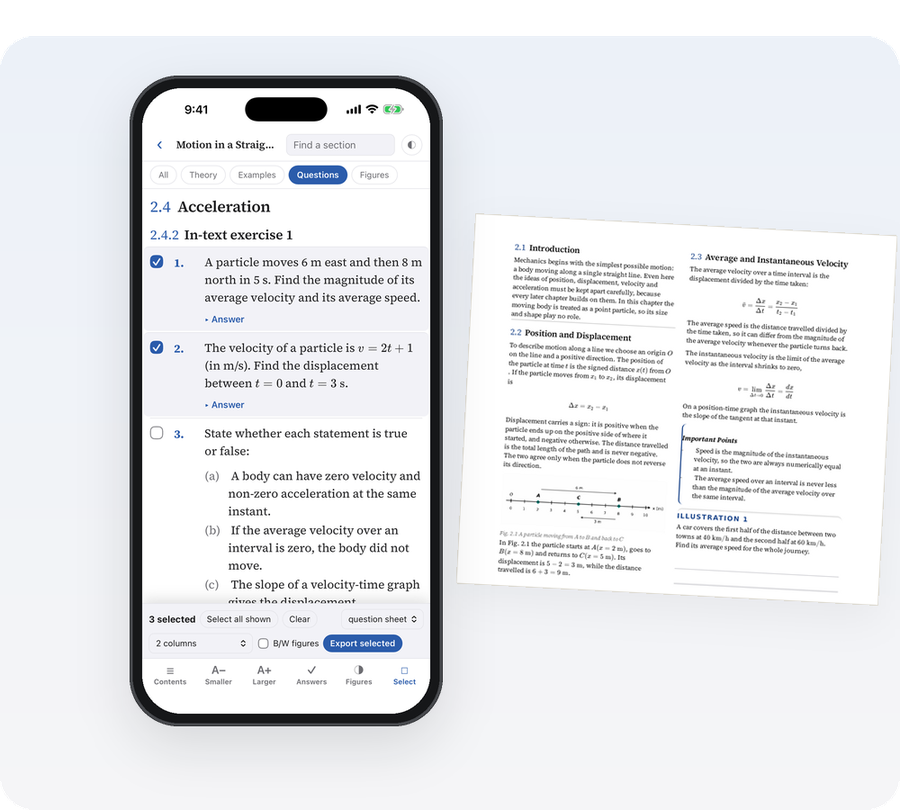
A question paper in one tap
Set a title, time and marks, then pick the questions yourself or let ChapterKit draw them at random — so many single-correct, so many numerical, a comprehension or two.
- Numbered 1, 2, 3… with no trace of the book — no chapter numbers, no headings, no name
- Answer key attached at the end or as its own PDF; full solutions as a third
- Grouped into sections by question type, shuffled if you like
- Recent papers kept in the app — print the paper, the key or the solutions again any time
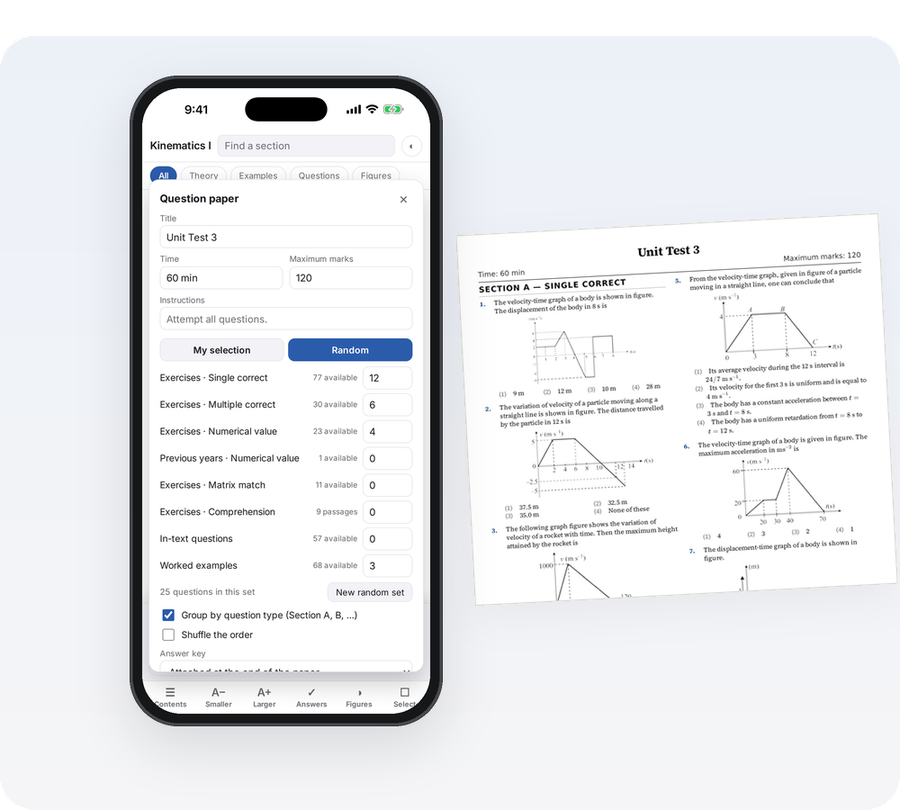
Made for black-and-white printers
Most school printing is monochrome. Adjust every figure once and it prints the way you want.
- Black-and-white figures
- Contrast control for faint scans
- Resize figures so they don’t take half a page
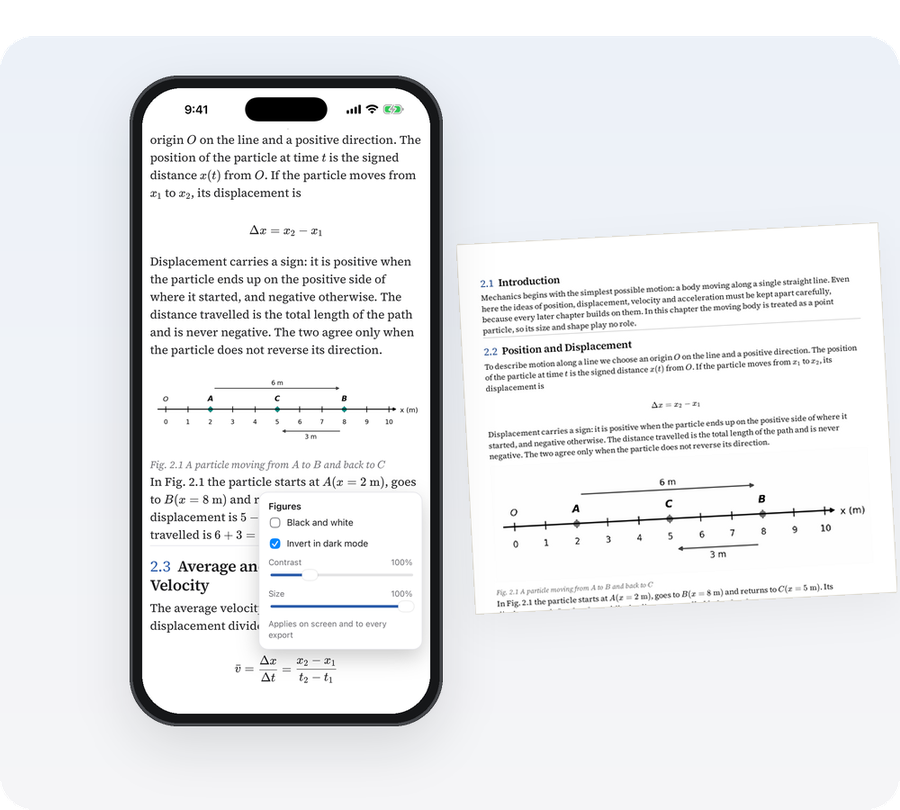
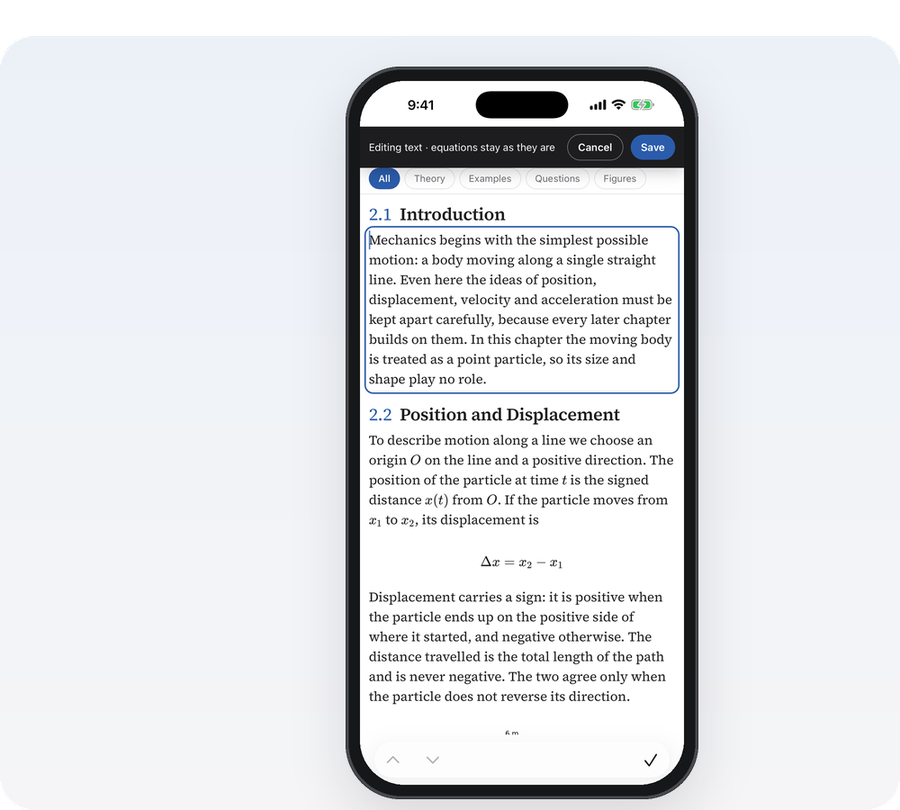
Fix what the scan got wrong
Scans are never perfect. Correct them yourself, in the app, and the fix appears everywhere.
- Edit text — add a missing space, fix a word; equations stay protected
- Replace a missed or cut-off diagram by cropping it from the original page
- Undo any correction
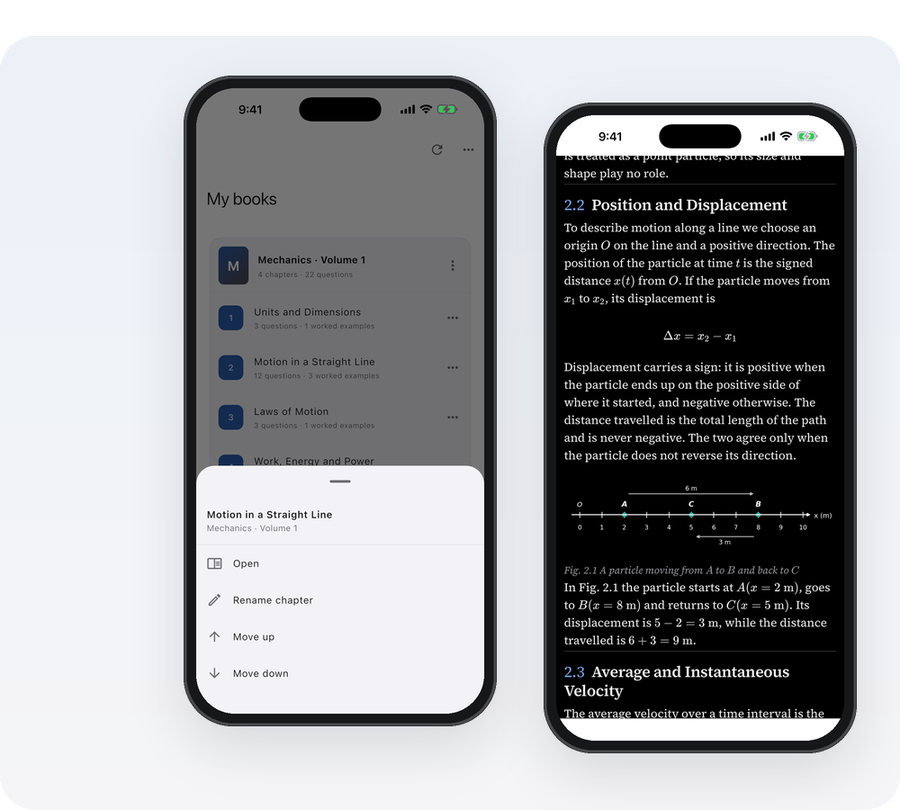
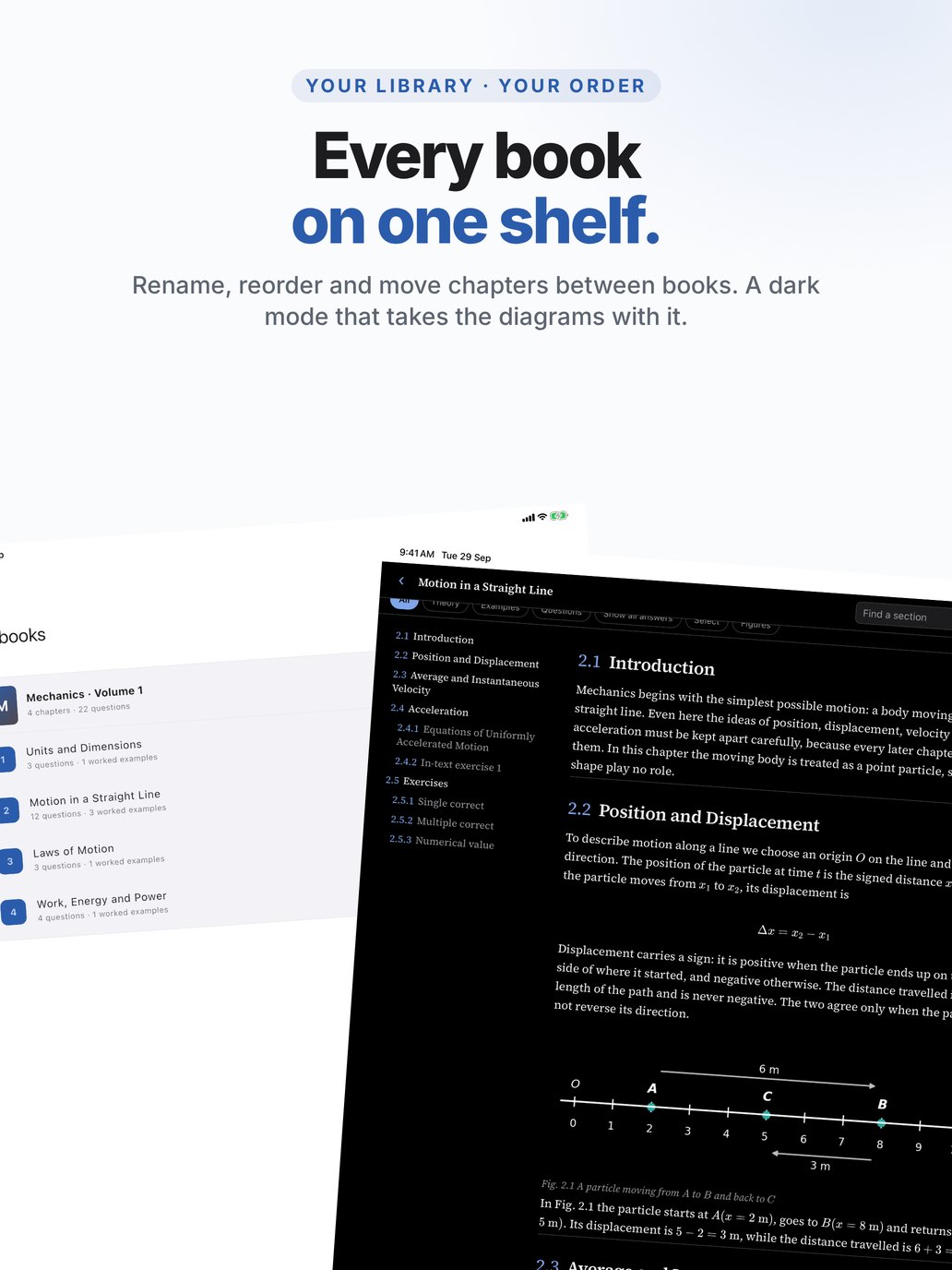
Your library, your order
Name books the way your class knows them, and arrange chapters as you teach them.
- Rename books and chapters
- Move chapters up or down, or into another book
- Comfortable dark mode — diagrams switch to dark too
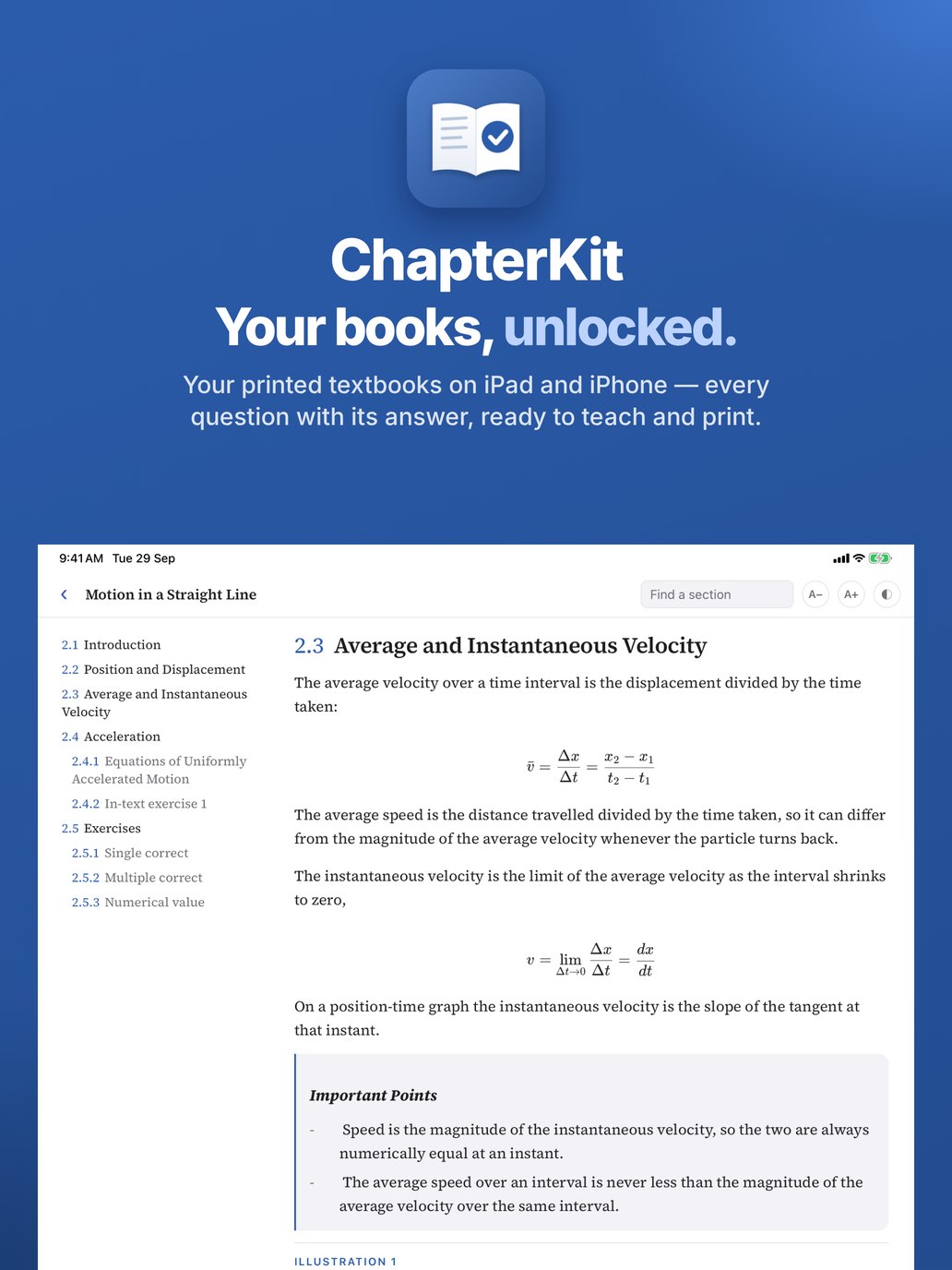
Made for the iPad on your desk
The same chapters, the same answers and the same one-tap papers whether you read on the iPad or the iPhone — the big screen for teaching, the phone for the staff room. Your books live on one device at a time; moving them is one sign-in.
Swipe to see more · tap any screen to open it full size
Three steps, for a chapter or a whole book
The website is where you upload. Everything else — reading, choosing questions, printing — happens in the free app on your iPhone or iPad.
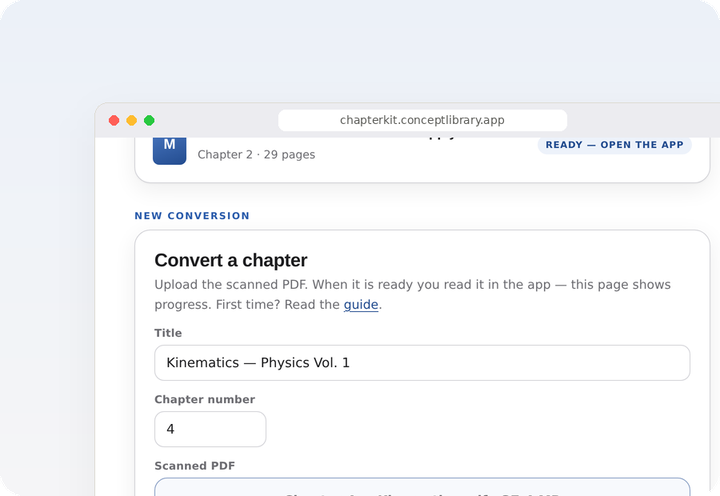
Upload the scan
Sign in with your email, give the book a title and choose its scanned PDF — one chapter or the whole book. Large files go up in pieces, so even a complete textbook uploads reliably.
We convert it
Our own conversion system reads every page, matches every question with its answer from the book’s key, and checks each chapter before it is released to you.
Read and print
Sign in on your iPhone or iPad with the same email. The chapter downloads by itself — pick questions, export a sheet, print.
No subscription · the app is free · pay once, by the page
Checked by the book. Kept for you alone.
A question sheet is only as good as its answers — and your books are nobody else’s business.
Answers come from your book’s printed answer key — not generated, not guessed — and sit right under each question.
Every chapter is checked question by question against the scanned pages before it is marked Ready.
See a missing space or the wrong figure? Fix it in the app in seconds — your correction is saved to your account and goes into every sheet you print.
Chapters are stored encrypted on your iPhone or iPad and open only there. Nothing is shared with other users.
You sign in with a one-time code sent to your email. One device per account; change devices from this website.
No advertising, analytics or tracking in the app. Read exactly what we keep in the privacy policy.
From one teacher’s chapter to an entire library
The same system that converts a single chapter scales to whole collections. Bring us your shelves — we bring them to every screen.
Digitise complete collections into structured, searchable books — sections, figures, questions and answers intact, not flat page images.
Convert your full study material and question banks once; every teacher builds sheets from the same library.
Department-wide access to course books, with answer keys and solutions linked for every exercise.
Turn back catalogues into ready-to-teach digital editions, for any subject and any exam.
Institutes and libraries get discounted prices for batches — write to [email protected].
Simple, per page. Pay once.
No subscription, no plans to compare. You pay for the pages you convert — the app is free.
Standard book page, up to A4 size · no GST added · paid once, not refunded
Convert your first book- Every question paired with the book’s own answer and solution
- Figures, tables and equations kept, typeset and searchable
- Unlimited reading, selecting and printing in the app
- Your corrections kept on your account, on every sheet
- You see the total before you pay — nothing hidden
Questions teachers ask
Which books work?
Any printed book you own, scanned to PDF — any subject, any level, any exam. Upload one chapter or the whole book; for a collection or a library, write to us for batch pricing. A clear 300 dpi scan, or sharp phone scans of whole pages, gives the best result.
My book prints all the answers at the end. What do I do?
Add those answer pages as the optional “answer-key pages” PDF when you upload the chapter. Each question is then matched with its answer from that key. Key pages are counted in the price like any other page.
Is it allowed to convert a book I bought?
You convert a book you own for your own use: it goes to your account only, opens only on your signed-in device, and is never shared with other users or published by us. When you upload, you confirm that the book is yours and that the conversion is for your personal or teaching use — the terms spell this out. Sharing the converted book with others is not something the service is for.
Can I make a test paper from a chapter?
Yes. In the app, choose your questions or let ChapterKit pick them at random by type, give the paper a title, time and marks, and export. The paper is numbered afresh with nothing that identifies the book; the answer key and solutions come as their own PDFs, and recent papers stay in the app so you can print them again.
How long does a conversion take?
Every chapter is read, matched and checked before it is released, so it is not instant. You can close the page — the book shows Ready on this website and appears in the app by itself when it is done.
What does it cost?
₹25 per page (about US$0.26) for a standard book page, up to A4 size, no GST added. You see the total for your upload before you pay, and you pay once — there is no subscription, and the app itself is free. Payments are not refunded. Start with as few pages as you like — the price per page is the same. Institutes and libraries get discounted prices for batches — write to us.
What if the conversion has a mistake?
Fix it in the app: edit the text of any paragraph or question, or replace a figure by cropping it from the original page. Your corrections show up everywhere the chapter opens and in every sheet you export. You can also start with a chapter or a few pages, see the result, and send the rest whenever you like — the price per page is the same.
Which devices are supported?
iPhone and iPad, from the App Store. The Android app is in testing and coming soon.
I changed my phone or iPad.
Sign in on this website, tap Sign that phone out on My books, then sign in on the new device with the same email. Your books download there again.
Start with your first book
Sign in with your email address. We send a six-digit code — there is no password. The same sign-in works in the app.
New here? Read the step-by-step guide first.